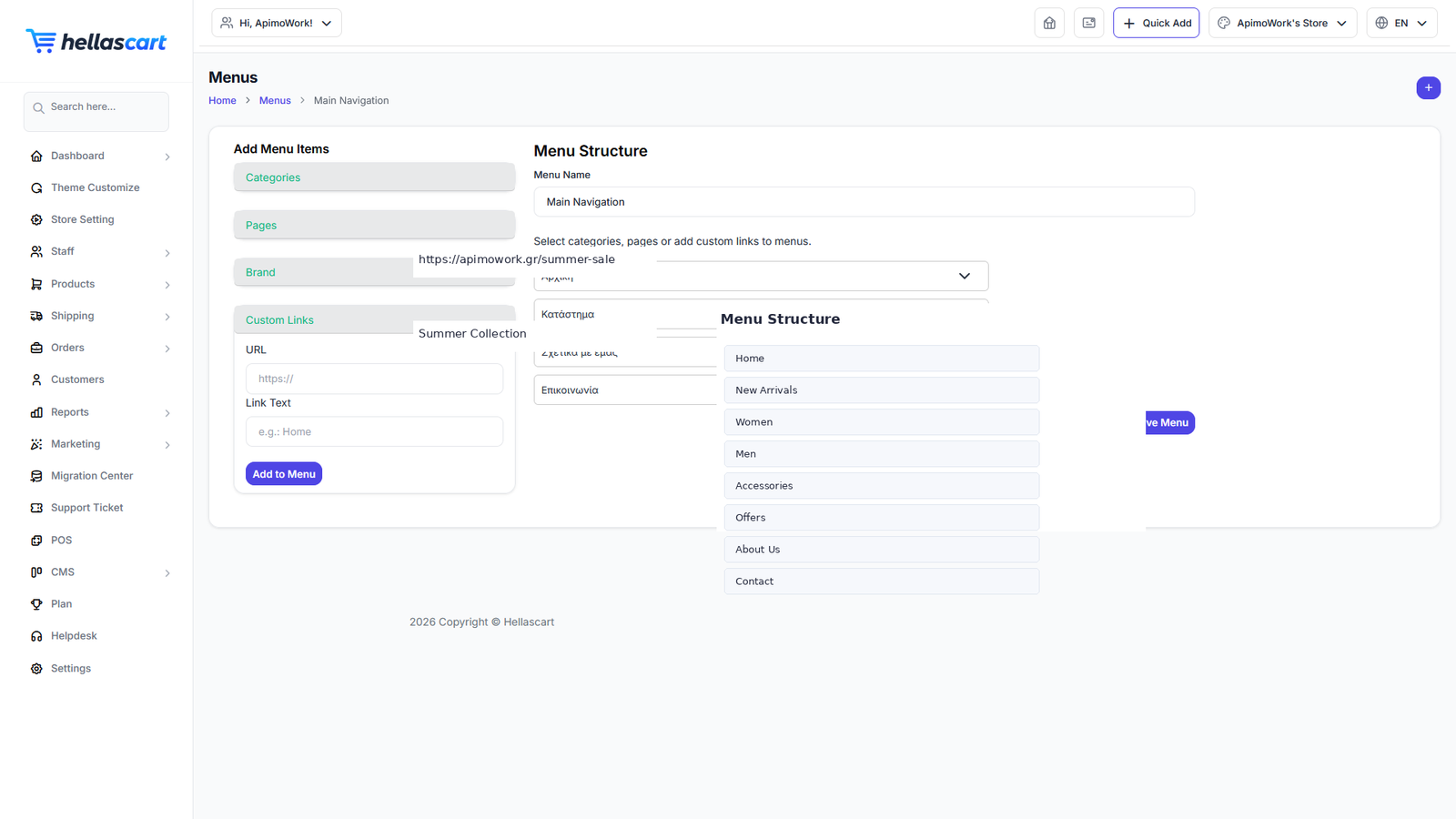
The CMS section manages the content around your products: menus, pages, blog, FAQs, tags and the contact-message inbox.
Menus
- Open CMS → Menu → Create.
- Add items: categories, pages, brands, products, blog or custom links.
- Drag to reorder.
- Click Save, then select the menu in Theme Customize.
Best PracticeKeep your top menu to 5–7 clear items so customers can find what they need at a glance.
Pages, blog & legal
- Pages — create standalone pages such as About Us, Terms and Privacy Policy, then link them from a menu.
- Blog — write articles to attract visitors and improve SEO. Create a blog category first, then add posts with a title, cover image and content.
- Privacy Policy & Terms — every shop needs these; customers and the law expect them. Create them in Pages and link them in the footer.
WarningBlog detail links use the
/article/{slug} address, not /blog/{slug}. The Menu builder handles this for you automatically.FAQs, tags & contact messages
- FAQs — answer common questions to cut support requests.
- Tags — keywords that group posts and products for discovery.
- Contact Us — read messages sent from your storefront contact form and reply by email.
Best PracticeReply to contact messages within one business day, and post blog articles regularly on topics your customers search for.