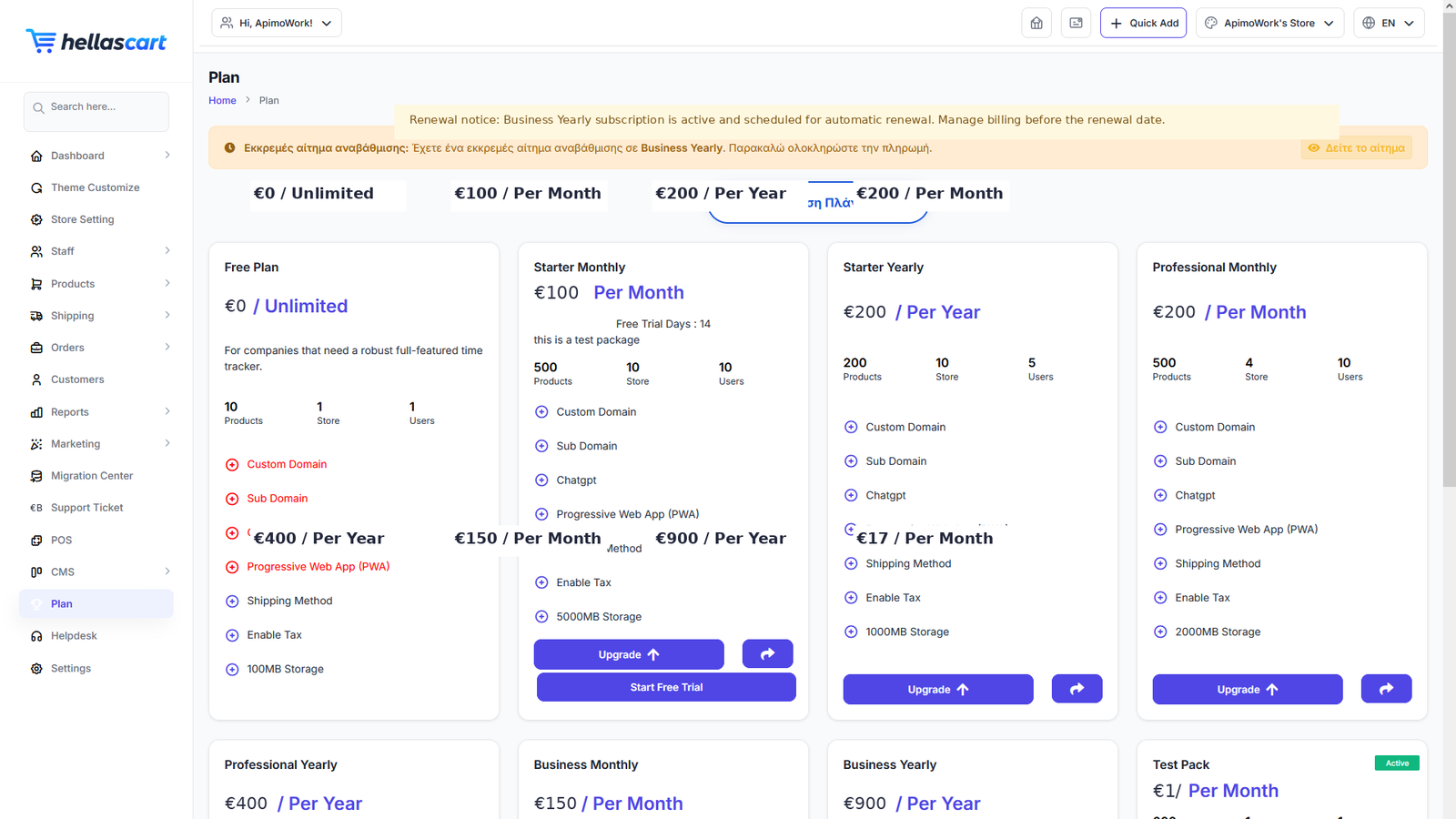
Your Plan controls your limits (products, staff, stores) and which features you get — such as POS. Manage it under the Plan menu.
Your current subscription
Open Plan to see your active plan, its limits and usage, and your renewal date.
TipWatch your product and staff limits so you can upgrade before you hit them — never during a busy sales period.
Upgrade & renew
- Open Plan and choose a higher plan.
- Pay online, or submit a bank-transfer request and upload your receipt.
- Access unlocks once your payment is approved.
- Near renewal, complete payment to keep your store running.
WarningIf a plan lapses, some features may pause. Renew on time to avoid interruption to your store.
Invoices & billing
Open Plan to view the order and invoice history for your subscription payments.
Best PracticeKeep your subscription invoices for your accounts. Upgrade ahead of a big campaign so you never hit a limit mid-launch.