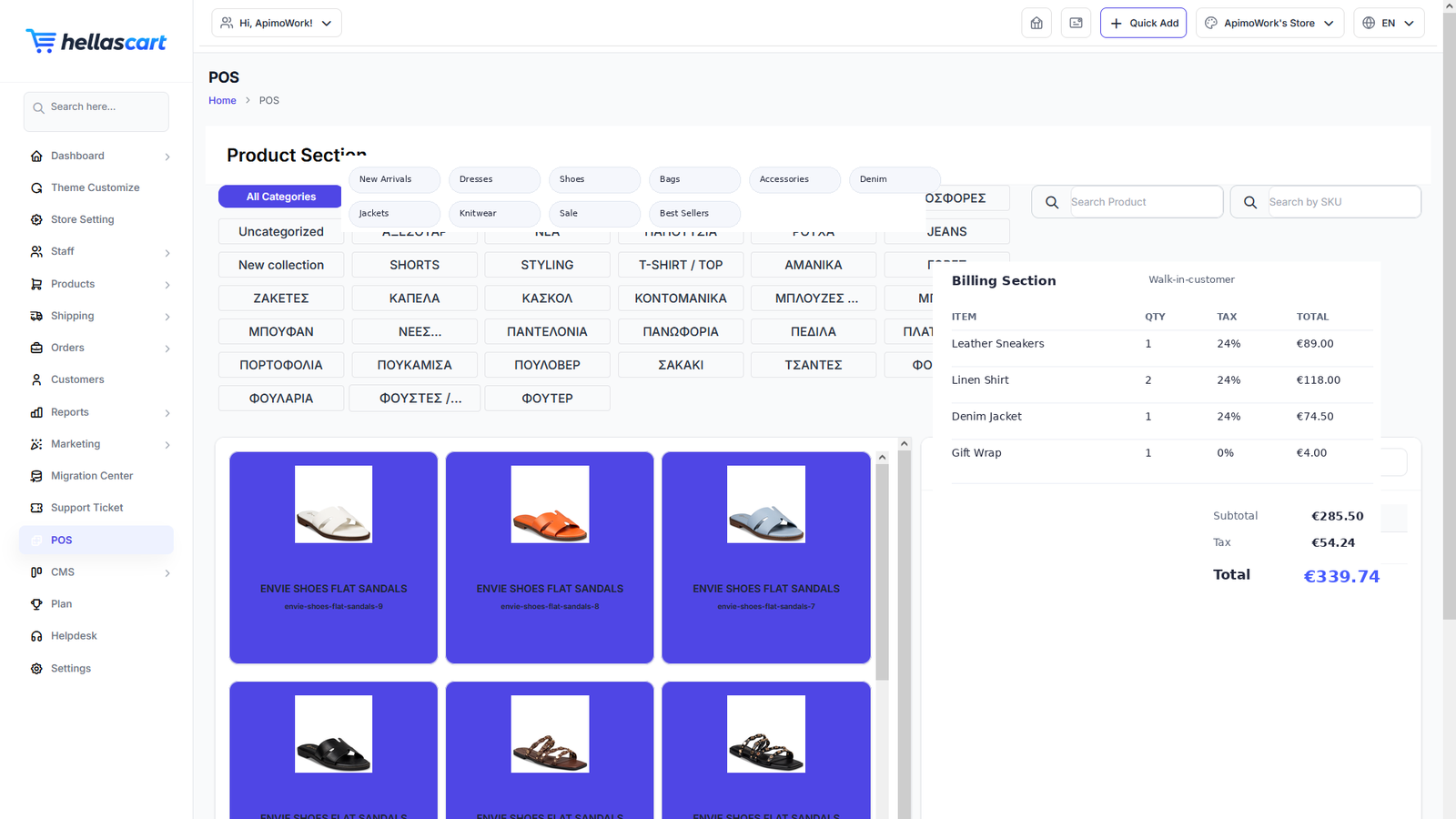
POS (Point of Sale) lets you sell face-to-face — in a shop, at a market or a pop-up — using the same catalogue and stock as your online store. It appears on paid plans.
Ring up a sale
- Open POS.
- Search, tap or scan the barcode of products to add them to the cart.
- Adjust quantities.
- Take payment and complete the sale.
TipMake sure each product has a SKU so barcode scanning works. Pin your best-sellers for one-tap adding.
Payment, customer & receipt
- Cash register — choose the payment type, enter the amount tendered, and the screen shows the change due.
- Customer — attach the sale to a customer for history and loyalty points, or leave it as a walk-in guest.
- Receipt — after completing the sale, click Print for a printed or digital receipt.
Inventory synchronisation
POS and your online store share one stock pool, so selling in-store reduces online stock automatically — no overselling.
Best PracticeDo a quick physical stock count regularly to keep your numbers exactly right across POS and online.